

Microsoft has released WSL 3.0.1, and the biggest change is not another redesign of the Windows Subsystem for Linux. It is something potentially more useful: WSL Containers, or WSLc, is now generally available.
The release gives Windows developers a Microsoft-built container runtime integrated directly with WSL, reducing the need for a separate container platform for many local development workloads.
The new wslc.exe command lets developers build, run and manage Linux containers directly from Windows. Microsoft also provides container.exe as an alias for familiar container-oriented commands.
WSLc now includes commands for restarting containers, copying files, inspecting system state, connecting and disconnecting networks, and streaming container events. Health checks, mounts and configurable container-storage locations are also supported.
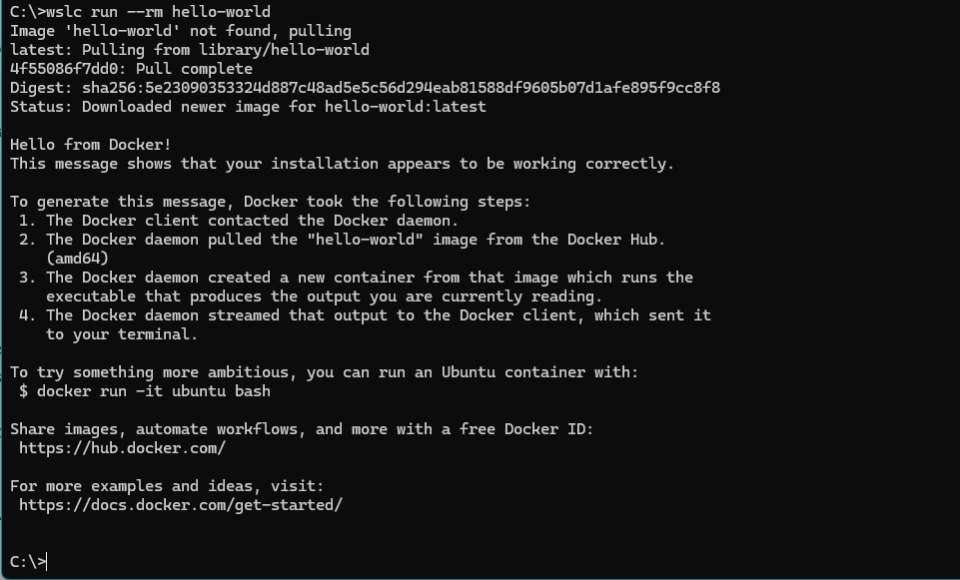
Microsoft is clearly trying to make the CLI familiar to developers already accustomed to Docker-style workflows.
There is still one significant omission: Compose support is not finished yet. Microsoft says it is working toward allowing existing compose.yaml files to work with wsl compose up.
Container Architecture
Microsoft designed a separate session architecture in which the privileged wslservice.exe creates a wslcsession.exe process running on behalf of the current user. Container operations such as filesystem mounts and networking are then performed through that less-privileged session process.
The goal is stronger isolation while reducing the amount of container activity performed by highly privileged Windows services.
Storage also gets an important upgrade. WSLc uses virtiofs for sharing Windows files with Linux containers. Microsoft says it is roughly twice as fast as the Plan 9-based approach used previously for comparable cross-OS filesystem access.
Networking
WSLc introduces a networking model called Consommé.
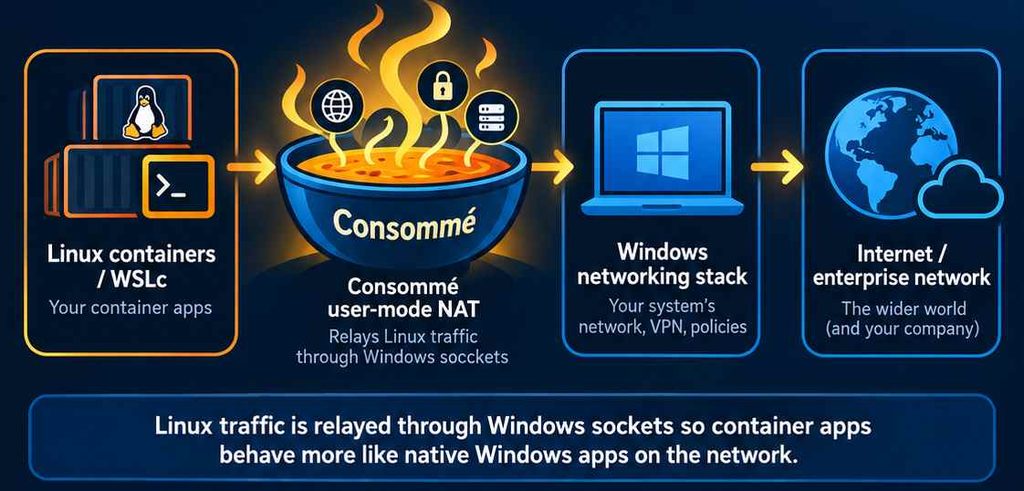
Instead of treating container networking as something isolated from Windows, container traffic can flow through Windows on behalf of the user running the WSLc session. Microsoft says this improves compatibility with VPNs, firewalls, DNS and port forwarding.
For enterprise deployments, Microsoft has also extended Windows management tooling around containers. Microsoft Defender for Endpoint can inspect process, file and network activity from WSL containers, while Intune administrators can disable WSL Containers or restrict image downloads to approved registries.
The important story is not the jump from a 2.x version number
Microsoft is steadily turning WSL from a convenient Linux development environment into a broader Linux execution platform inside Windows.
We can already run full Linux distributions through WSL 2. With WSL Containers, Windows now gains a native path for containerized Linux workloads as well.
That puts Microsoft in an interesting position: instead of asking developers to choose between Windows and a Linux-oriented development environment, Windows increasingly intends to provide both.
To get the latest version, run:
wsl –update
Microsoft also publishes the current WSL releases and changelogs on GitHub.
